
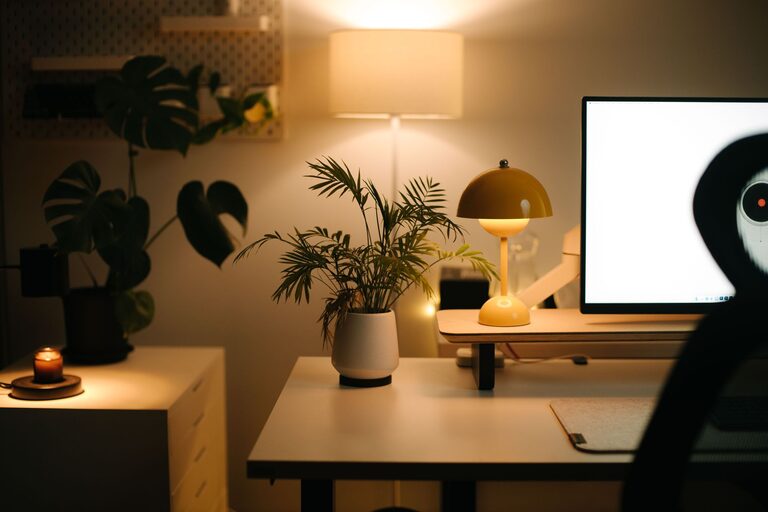
Tips for Creating a Cozy and Productive Home Office Space
Creating a home office that feels both cozy and productive is a goal many people share, especially as remote work becomes more common. A well-designed workspace can boost your focus, reduce stress, and make your workday more enjoyable. In this post, we’ll explore practical tips to help you transform any room or corner into a home office that inspires comfort and productivity.
Choose the Right Location
Picking the best spot for your home office is the first step toward creating an effective workspace.
– Natural Light: Try to set up your desk near a window to take advantage of natural light. It can improve your mood and help reduce eye strain.
– Quiet Area: Look for a space with minimal distractions and noise. If possible, choose a room with a door to help limit interruptions.
– Clear Boundaries: Designate the area strictly for work to help your mind associate it with productivity.
Invest in Comfortable and Functional Furniture
Comfort and ergonomics are key to maintaining focus and preventing physical discomfort during long work hours.
– Ergonomic Chair: Select a chair with adjustable height and good back support.
– Desk Space: Ensure your desk provides enough space for your computer, documents, and necessary supplies.
– Adjustable Setup: Consider including a monitor stand or a laptop riser to keep your screen at eye level.
Optimize Lighting
Proper lighting can reduce eye strain and set the right mood for productivity.
– Layered Lighting: Combine natural light with ambient and task lighting. A desk lamp with adjustable brightness is useful for focused tasks.
– Warm Light Tones: Use warm or neutral light rather than harsh white or blue light for a more comfortable atmosphere.
Personalize Your Space Thoughtfully
Adding personal touches makes your office feel welcoming, but keep it organized to avoid distractions.
– Plants: Indoor plants improve air quality and add a calming, natural vibe.
– Artwork or Photos: Choose a few pieces that inspire or make you happy, but avoid overcrowding walls.
– Decor: Simple accents like a cozy rug or cushions can make your office more inviting.
Organize and Declutter
A tidy workspace helps clear your mind and improves your ability to focus.
– Storage Solutions: Use shelves, drawers, or bins to keep supplies neatly stored and within reach.
– Cable Management: Use cable clips or sleeves to keep cords untangled and out of the way.
– Regular Cleaning: Schedule time weekly to tidy up and remove unnecessary clutter.
Use Technology Wisely
Technology should aid productivity, not hinder it.
– Reliable Internet: Ensure your connection is strong and consistent.
– Necessary Tools: Install only the apps and software you need to reduce distractions.
– Headphones or Speakers: Noise-canceling headphones can help maintain focus in noisy environments.
Create a Routine and Define Work Hours
Building boundaries around your workday can improve your productivity and well-being.
– Set a Schedule: Define clear start and end times for work.
– Breaks: Include regular breaks to rest your eyes and stretch.
– Transition Rituals: Use a small routine to enter and exit work mode, such as taking a short walk or making tea.
Enhance Air Quality and Comfort
Your physical comfort affects how well you perform during the day.
– Ventilation: Keep your space well-ventilated to maintain fresh air.
– Temperature Control: Use fans, heaters, or humidifiers as needed to maintain a comfortable temperature.
– Reduce Noise: Consider rugs or curtains that help absorb sound.
Final Thoughts
Creating a cozy and productive home office is about balancing comfort with functionality. By making thoughtful choices about your space, furniture, lighting, and organization, you can design an environment that supports your best work and well-being. Remember, your perfect home office reflects your personal style and work habits, so feel free to adapt these tips to suit your needs.
With a little effort and creativity, your home office can become a place you look forward to spending time in every day!